![[object Object]](https://s3.us-west-2.amazonaws.com/worklenz.com/assets/worklenz-light-mode.png)
![[object Object]](https://s3.us-west-2.amazonaws.com/worklenz.com/assets/worklenz-dark-mode.png)
Upgrade
Worklenz offers a trial subscription plan for a limited time period so you can explore the platform before committing. After the trial ends, you will need to upgrade your plan to continue using all features.
How to upgrade your plan
You can access the upgrade option in two ways:
1. Using the Upgrade Plan button
- Click the Upgrade Plan button located in the top left corner.
- You will be redirected to the Billing page.
- Click the Upgrade Plan button on the Billing page.
2. Using your profile
- Click the Profile icon in the top left corner.
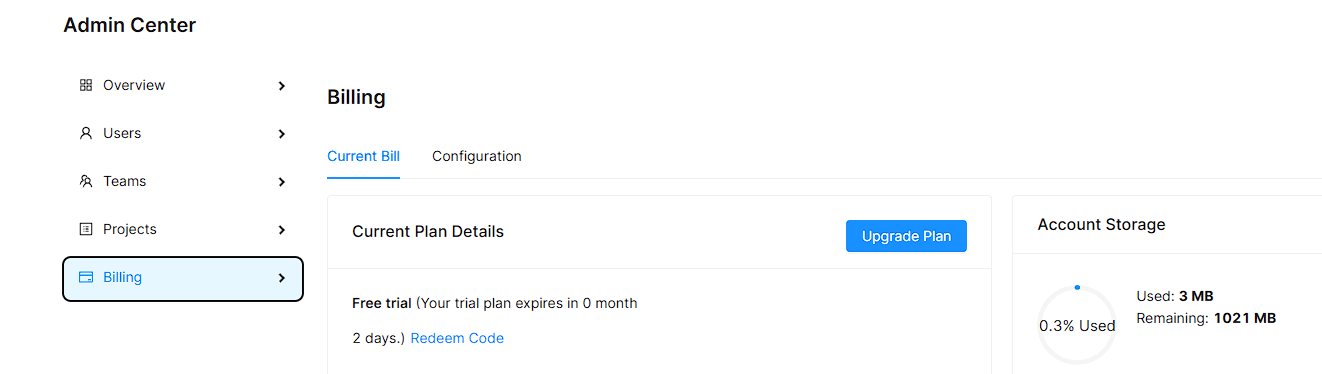
- Click Admin Center.
- Select the Billing option to go to the billing page.
- Click the Upgrade Plan button.
Available plans
After opening the subscription plan menu, you will see two categories:
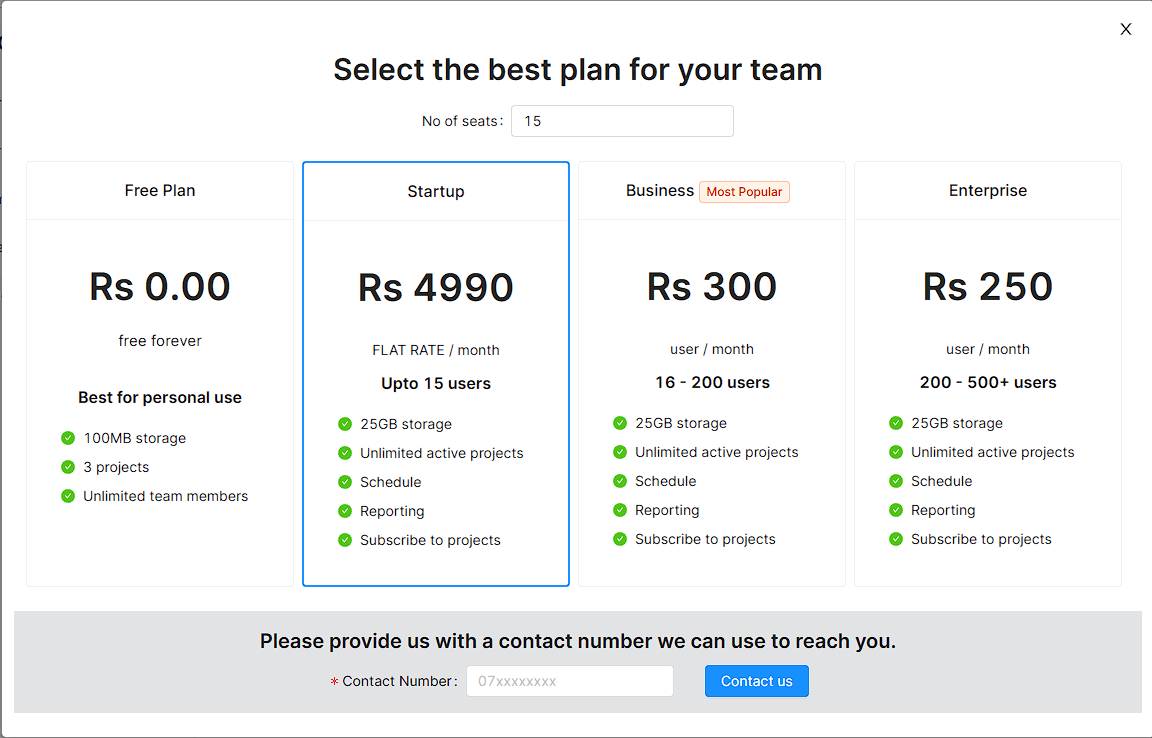
Local Users
This plan is designed for local users and includes 4 plan options. Select your preferred plan and click the Contact Us button with your contact number.
For the Free plan, click the Try For Free button. Note that the Free plan has limitations and does not include the Schedule and Reporting features.
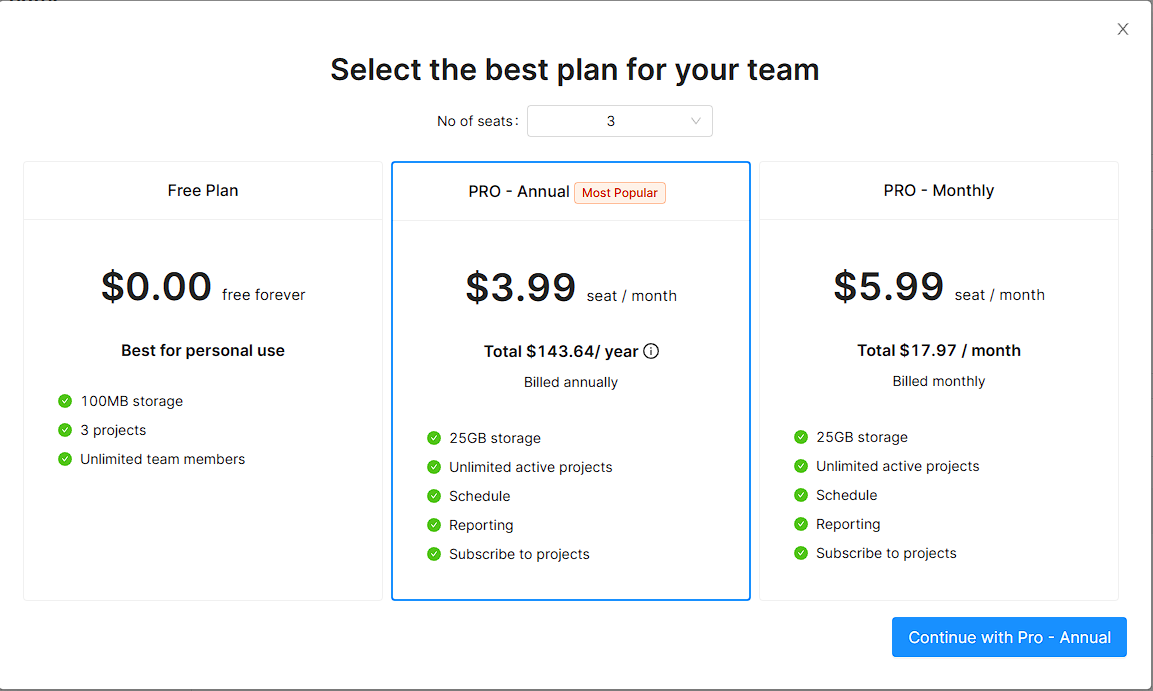
Foreign Users
This plan is designed for international users and includes 3 plan options. Select your preferred plan and click Continue with Pro - Annual or Continue with Pro - Monthly based on your billing preference.
For the Free plan, click the Try For Free button. Note that the Free plan has limitations and does not include the Schedule and Reporting features.
Complete your subscription
After selecting a plan, you will see your plan summary. Review the details and click Continue to proceed.
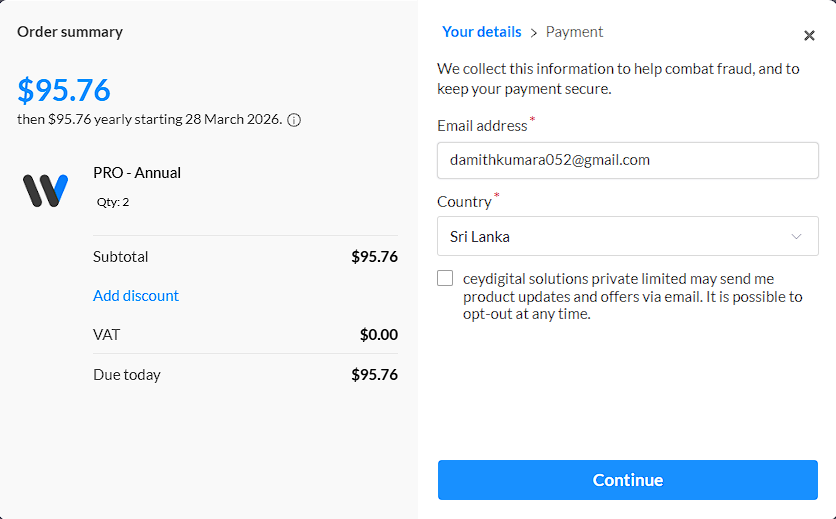
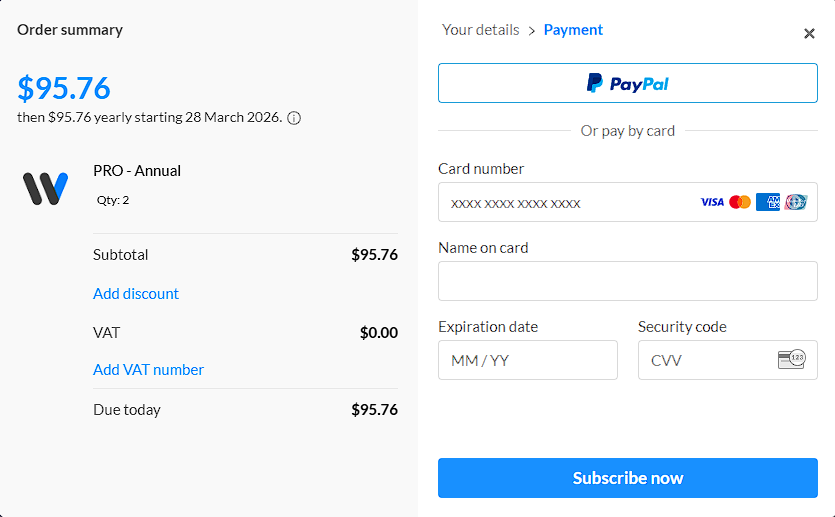
You will then be directed to the payment gateway. Enter your card details and click Subscribe Now to activate your new plan.