![[object Object]](https://s3.us-west-2.amazonaws.com/worklenz.com/assets/worklenz-light-mode.png)
![[object Object]](https://s3.us-west-2.amazonaws.com/worklenz.com/assets/worklenz-dark-mode.png)
Home dashboard overview
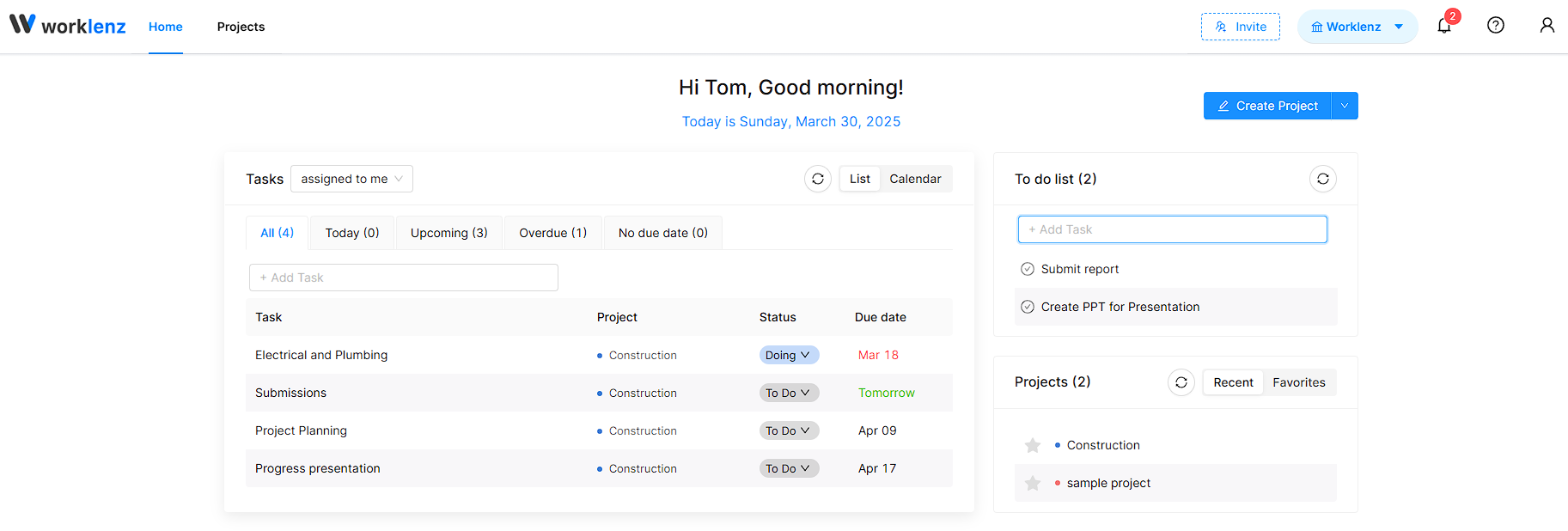
The Home Dashboard provides a summary of your work at a glance. It is your personal workspace where you can quickly access recent activity, manage tasks, and stay on top of your schedule.
What you can do from the Home Dashboard
- View a summary of your work - Get a quick overview of your current workload and progress.
- Quick access to recent activity - View your recently logged time and recently updated tasks.
- Access recent and favorite projects - Quickly navigate to the projects you are currently working on or the projects you have marked as favorites.
- Create a new project - Start a new project directly from the Home Dashboard without navigating elsewhere.
To-Do List
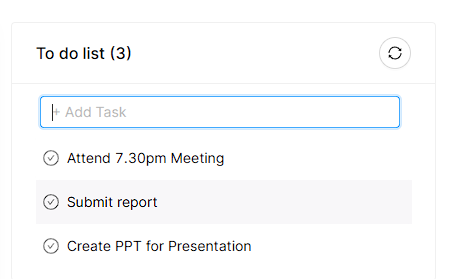
The Home Dashboard includes a simple to-do list for personal use. This is a standalone list that is not related to any project or other features in Worklenz.
- Type your task in the text box and press Enter to add it to the list.
- Click the check icon to mark a task as complete and remove it from the list.
- Use the refresh icon to reset your to-do list.
Task Filtering
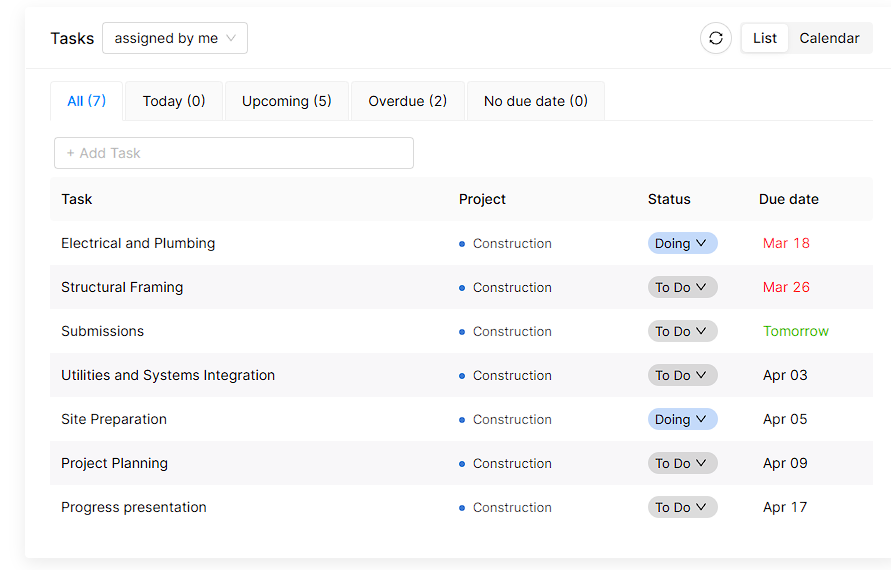
You can view your tasks filtered by two categories:
- Assigned to me - Tasks that have been assigned to you by others.
- Assigned by me - Tasks that you have assigned to other team members.
Use the task dropdown at the top of the task list to switch between these filters.
List View and Calendar View
The Home Dashboard supports two view modes:
- List View - Displays your tasks arranged in a list format for easy scanning.
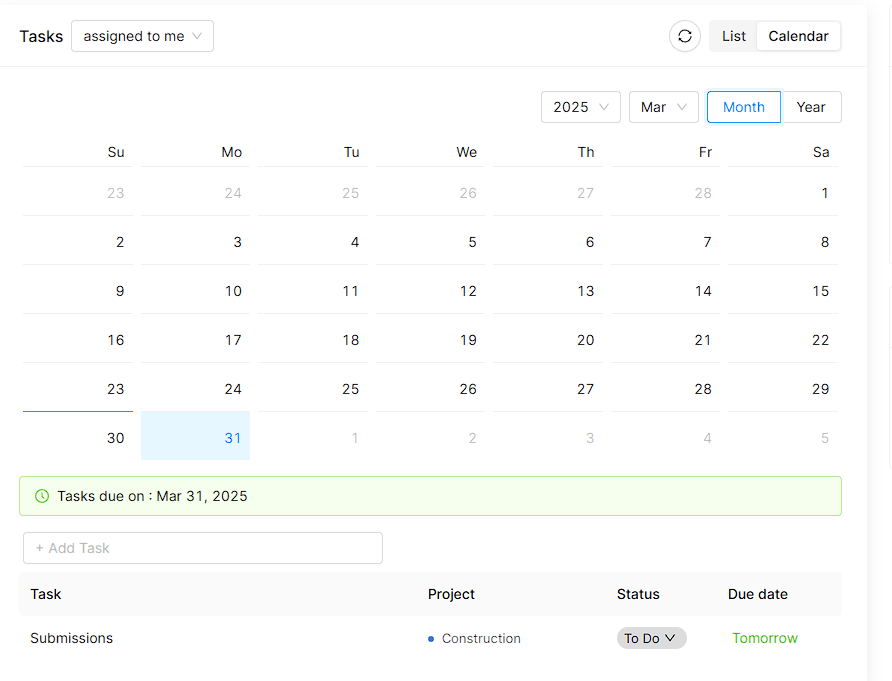
- Calendar View - Displays your tasks organized by date across the month. You can view detailed information about due tasks and upcoming tasks by clicking on any date. Use the date picker to navigate to any month or year.