![[object Object]](https://s3.us-west-2.amazonaws.com/worklenz.com/assets/worklenz-light-mode.png)
![[object Object]](https://s3.us-west-2.amazonaws.com/worklenz.com/assets/worklenz-dark-mode.png)
How to import a project template
If you don’t have any idea how to develop your own project or you don’t waste time on it, This is the section for you. Worklenz preduce predevelop template for easy import and use for it your work.
On the project page, you can see the Create Project button, arrow head near this button gives fratches for import project template. Click that arrowhead and click the Create From Template button and it will open the new drawer on the left side.
In the Select from Templates drawer, you can see many project templates appear. you can check all of these by clicking the template name in the right-side navigation bar and after clicking the template you can see all of the information about the template.
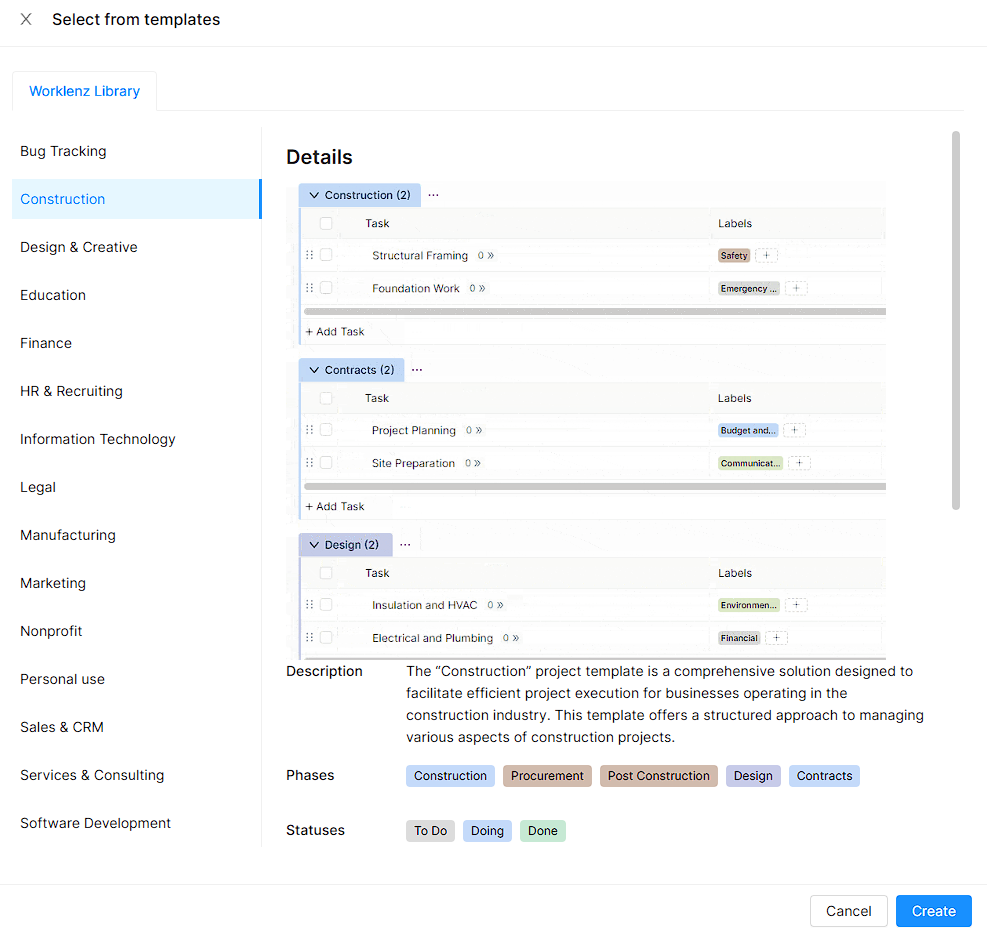
After selecting any template you can click the Create button to import your project.