![[object Object]](https://s3.us-west-2.amazonaws.com/worklenz.com/assets/worklenz-light-mode.png)
![[object Object]](https://s3.us-west-2.amazonaws.com/worklenz.com/assets/worklenz-dark-mode.png)
Where to view time reports
The Time Report section includes the following views:
- Timesheet
- Projects
- Members
- Estimated vs Actual
- Time Logs
To access these reports, navigate to Reporting > Time Report section from the side menu.
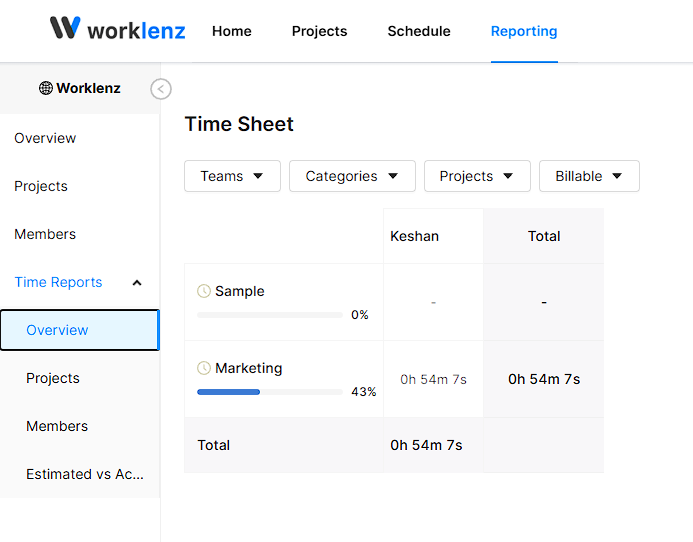
Timesheet
From this report, you are able to view all the logged time entries across your tasks and projects.
Projects
This report shows the logged time organized by project, allowing you to track time spent on each project.
Members
Here you can view utilization reports filtered by team, project, or individual member.
Estimated vs Actual
You can view the variance between estimated time and actual logged time. This report includes additional filter options for deeper analysis.
Time Logs
View all the logged time entries recorded by members across tasks and projects.