![[object Object]](https://s3.us-west-2.amazonaws.com/worklenz.com/assets/worklenz-light-mode.png)
![[object Object]](https://s3.us-west-2.amazonaws.com/worklenz.com/assets/worklenz-dark-mode.png)
How to log time manually
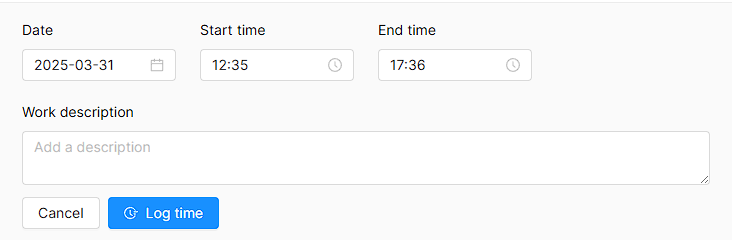
In Worklenz, you can log custom time entries manually, rather than using the real-time timer. This is useful when you need to record time for work that has already been completed.
To add a time log manually:
- Open the task drawer by clicking a task in the task list.
- Navigate to the Time Log tab section.
- Click the Add New Time Log button at the bottom of the drawer.
- Enter your preferred time and description.
- Click the Log Time button to save the entry. The time will be logged to the task.