![[object Object]](https://s3.us-west-2.amazonaws.com/worklenz.com/assets/worklenz-light-mode.png)
![[object Object]](https://s3.us-west-2.amazonaws.com/worklenz.com/assets/worklenz-dark-mode.png)
Task comments
A task comment in Worklenz refers to a feature that allows users to add notes, updates, or discussions related to a specific task. These comments help team members communicate efficiently, track progress, and provide feedback directly within the task.
-
You can put comment in the task-adding process.
-
First, you should click the Create Task button located in the top left corner.
-
After it will open Create Task Drawer on the left side.
-
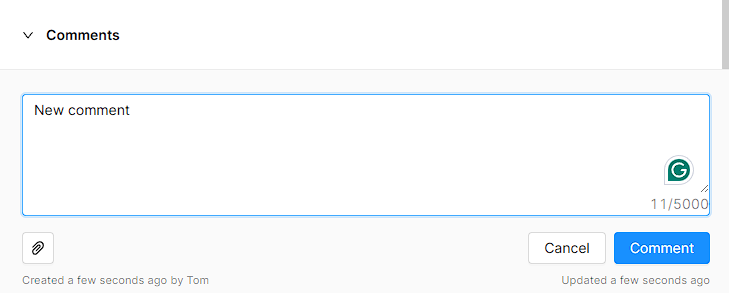
You can see Comment section with text are.
-
Click that text area and add your comment in it.
-
Also you can attach file as a comment.
-
Click Comment button to confirm.
-
-
In the Task list, you can see the “Task” column in the table. You have to use this column to add comment for the previous task,
- First you should click Open sign in the Task column.
- Then it will open the new dropdown with the previous task details.
- Then You can see Comment section and text area.
- Click text area and add your comment in it.
- Also you can attach file as a comment.
- Click Comment button to confirm.