![[object Object]](https://s3.us-west-2.amazonaws.com/worklenz.com/assets/worklenz-light-mode.png)
![[object Object]](https://s3.us-west-2.amazonaws.com/worklenz.com/assets/worklenz-dark-mode.png)
Task List
In worklenz workplace you can have manage your tasks organize well. In the Task list is show all task of you crated. Also it gives to customize task list according to several filters and groups.
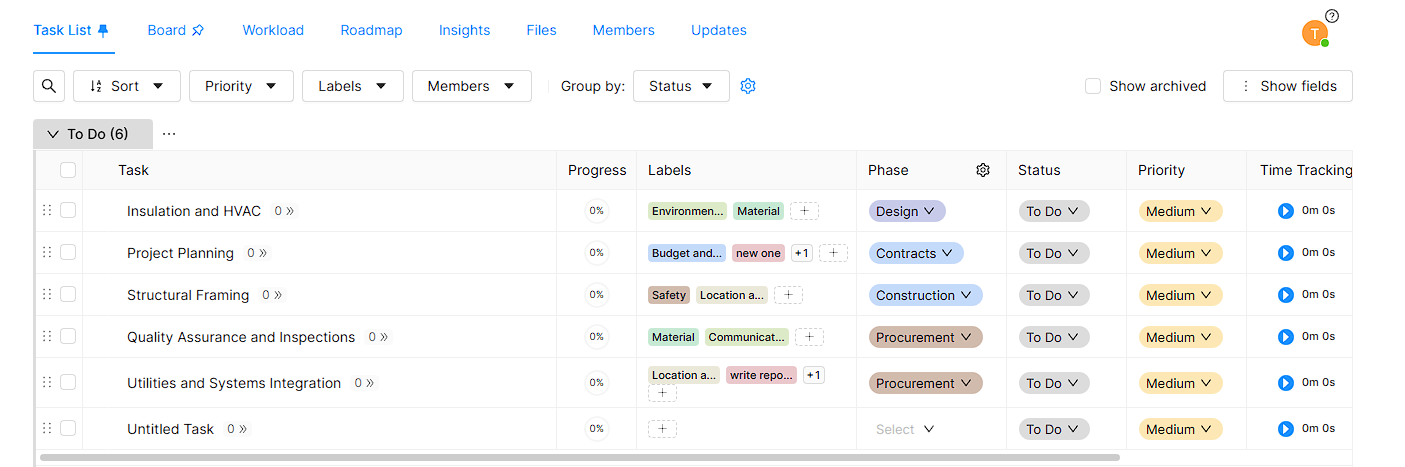
Serch Task
In the task list you can search any task you already created. It is very helpfull to handling the larger number of task.
- You can see Search Icon in begining of the task list.
- Click that icon and it will open search box with buttons.
- You can enter Task Name and click Search button for search the task.
- It you want to reset search results, You can easily click Reset button.
Short Task List
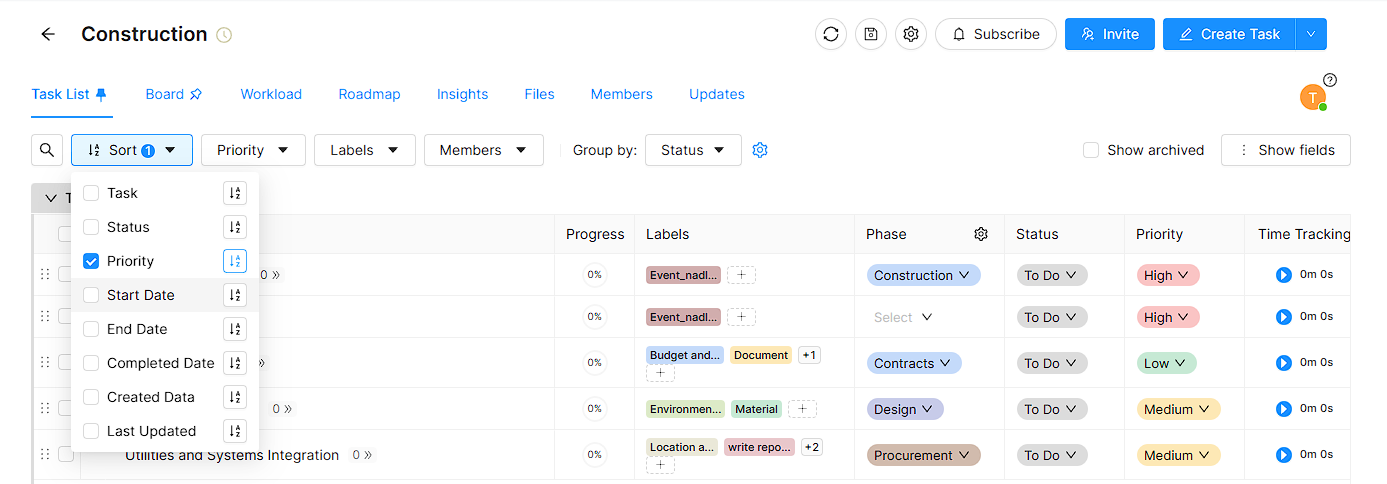
You can arrange your task according to Assending or Desending order. You can do it easily using Sort dropdown and it gives to you sort tasks by several data.
- Click Sort Dropdown for get sort list.
- You have to checked wanted sort item and click Assending or Dessending button.
- You can have sort task list given several sort items.
Filters
In filter options you can filter tasks according to several task items.
-
According to Priority
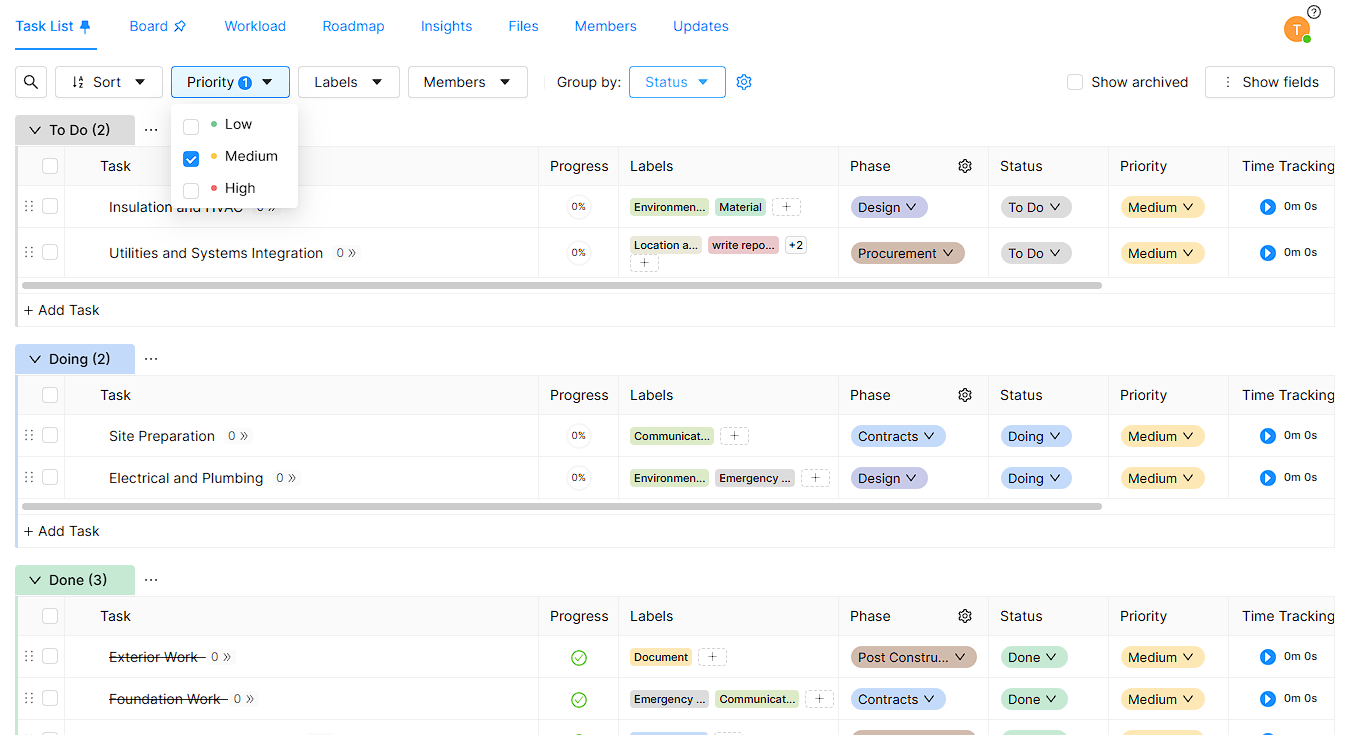
- You have to filter all tasks according to your Priorities.
- Click Priority dropdown and select one item.(Low,Medium and High)
- Task list will automatically filter your selection.
-
According to Labels
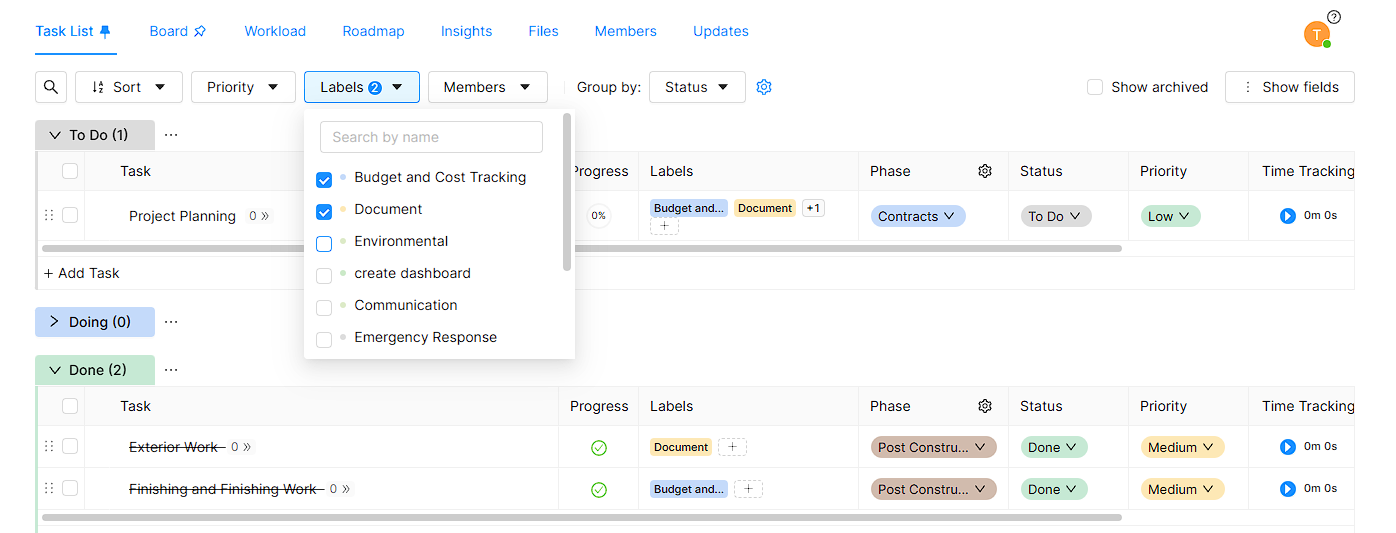
- You have to filter all tasks according to your Labels.
- Click Labels dropdown and select one or more Lables.
- Task list will automatically filter your task including selected labels.
-
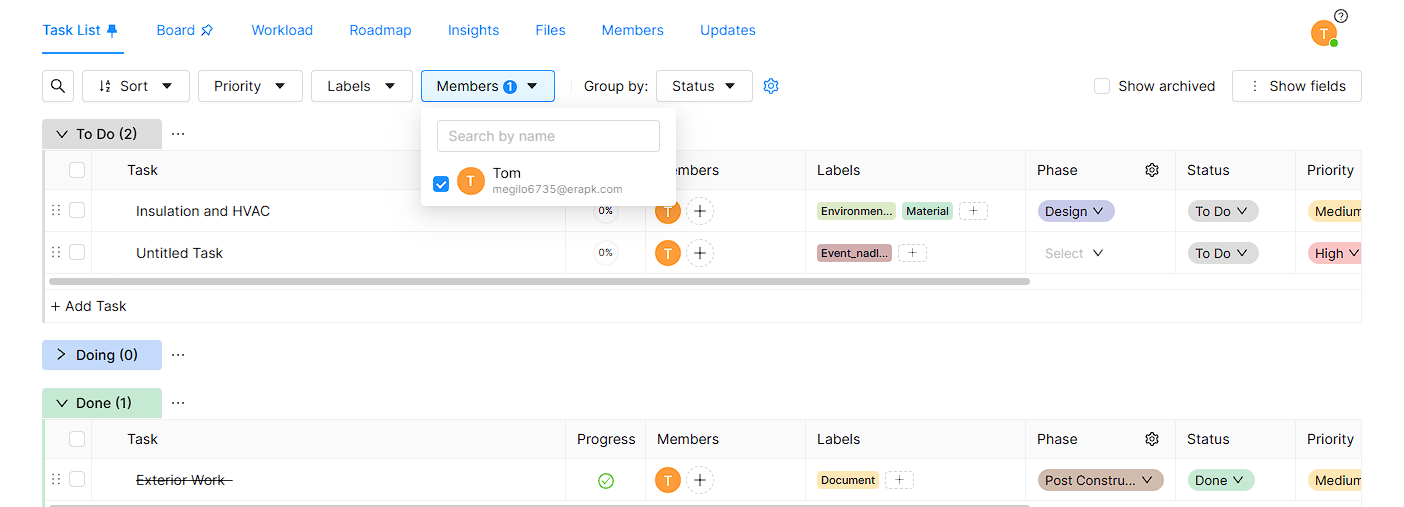
According to Members
- You have to filter all tasks according to your members.
- Click Members dropdown and select one or more Members.
- Task list will automatically filter your task according to selected members.
Groups
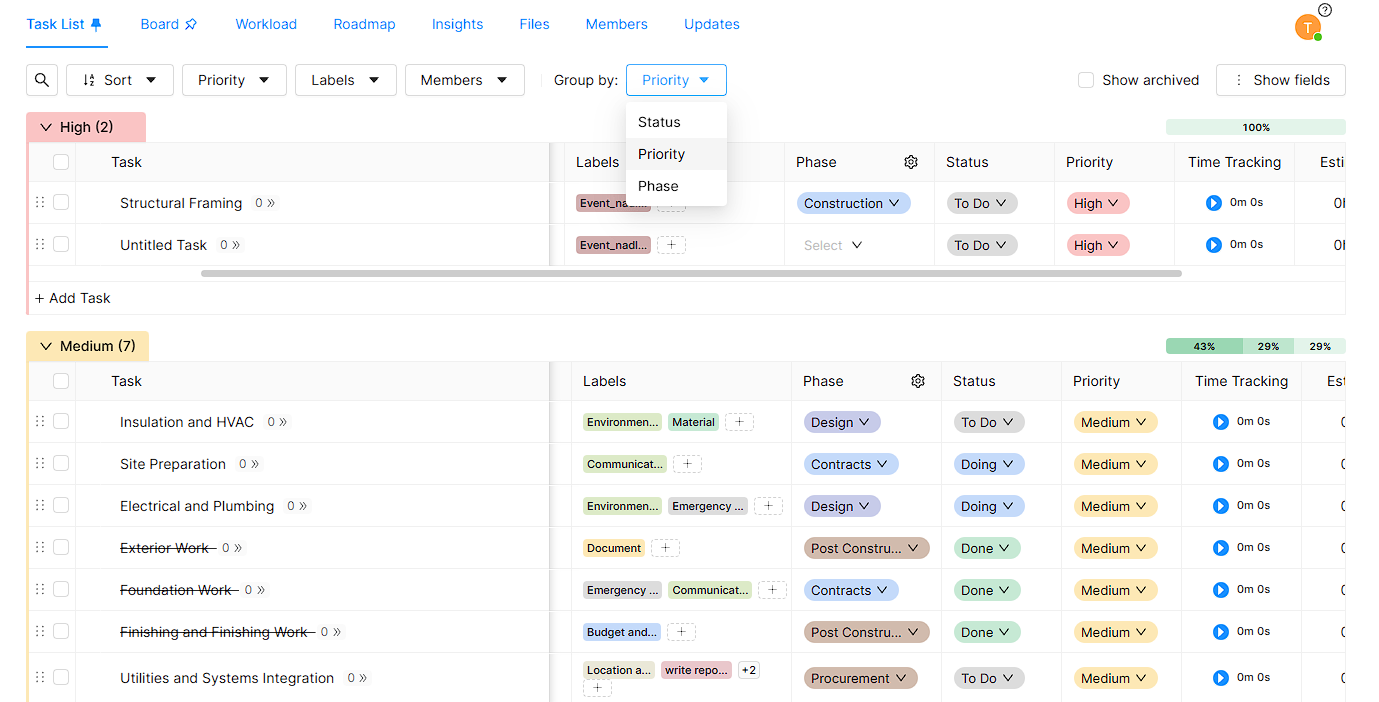
You can have group tasks list all tasks according to Status, Phase and Priority.
- Click Group By dropdown and select wanted item.
- It will automatically group all tasks according to you selected.
Show Archived
You have to show or hide your Archived file in the tasks list. If you want to show archived tasks. you can easily tick Sho Archived check box and it will appear all archived tasks in your task lists.
Show Fields
This Show Fieldsdropdoun gives to hide or show columns in your tasks list. You can have easily click Show Fields drop down and select wanted column and unselect didnt want columns.