![[object Object]](https://s3.us-west-2.amazonaws.com/worklenz.com/assets/worklenz-light-mode.png)
![[object Object]](https://s3.us-west-2.amazonaws.com/worklenz.com/assets/worklenz-dark-mode.png)
Task activity log
What is the Task activity log?
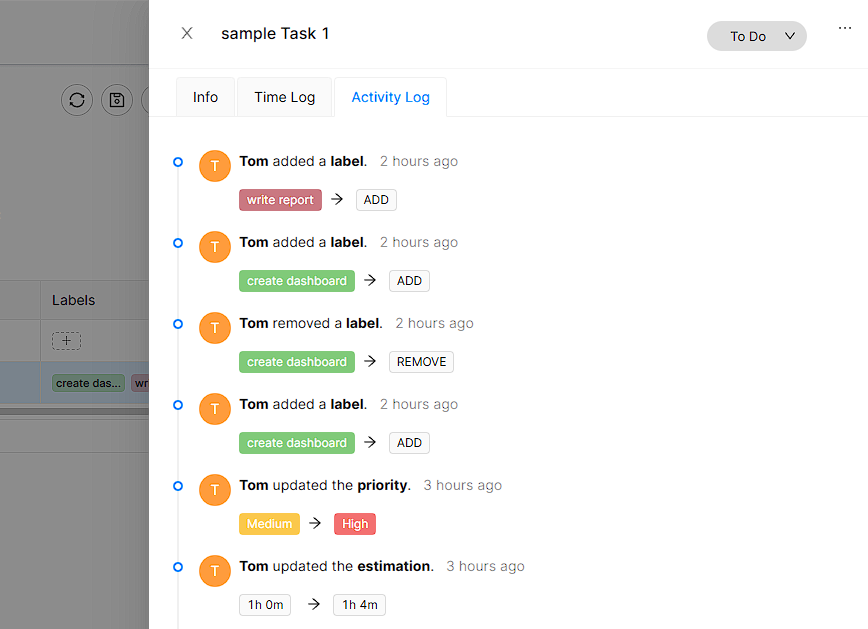
It represent all activities did team member according to out task. All changes can you see in this section. It is history of member activity according to task.
How to watch Task activity log ?
First, you should be a member of any team and you should be assigned to the relevant project and task.
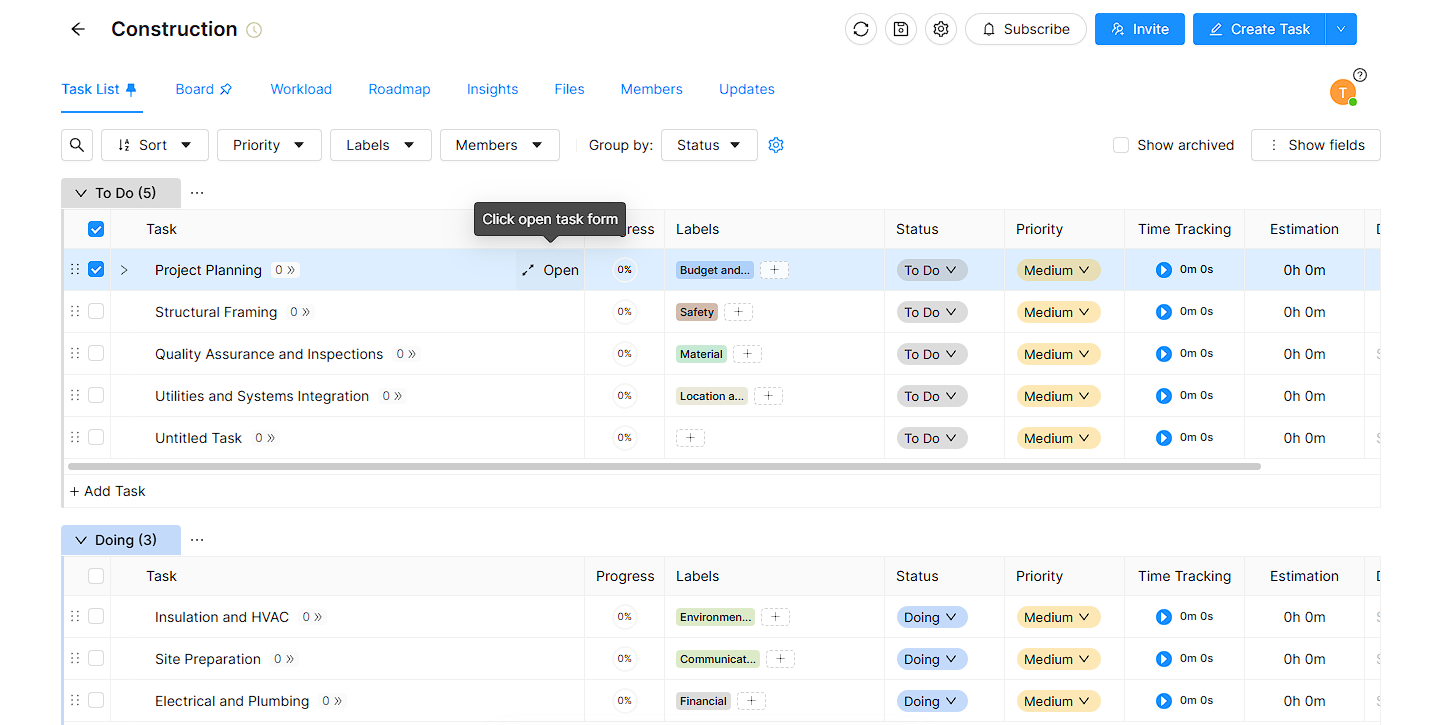
In the Task list, you have to select a wanted task and click it open button. It is located right side of each task.
Then, it will open the Drawer with task adding and changing settings. In that drawer have three tabs and you should select the Activity Log tab. Then you will show all the activities did your selecting task.