![[object Object]](https://s3.us-west-2.amazonaws.com/worklenz.com/assets/worklenz-light-mode.png)
![[object Object]](https://s3.us-west-2.amazonaws.com/worklenz.com/assets/worklenz-dark-mode.png)
How to edit or delete labels
How to Delete labels
You have to delete you added lables using below methord,
- First you should go to the Profile icon located in left top coner of the page.
- Click Settings option.
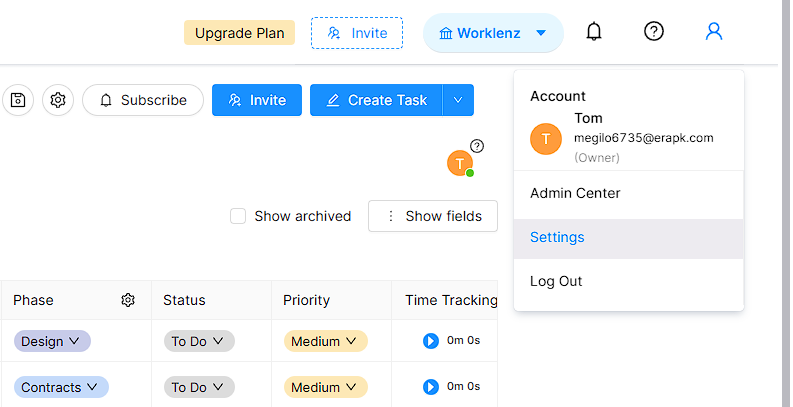
- Then you will navigate to the settings profile.
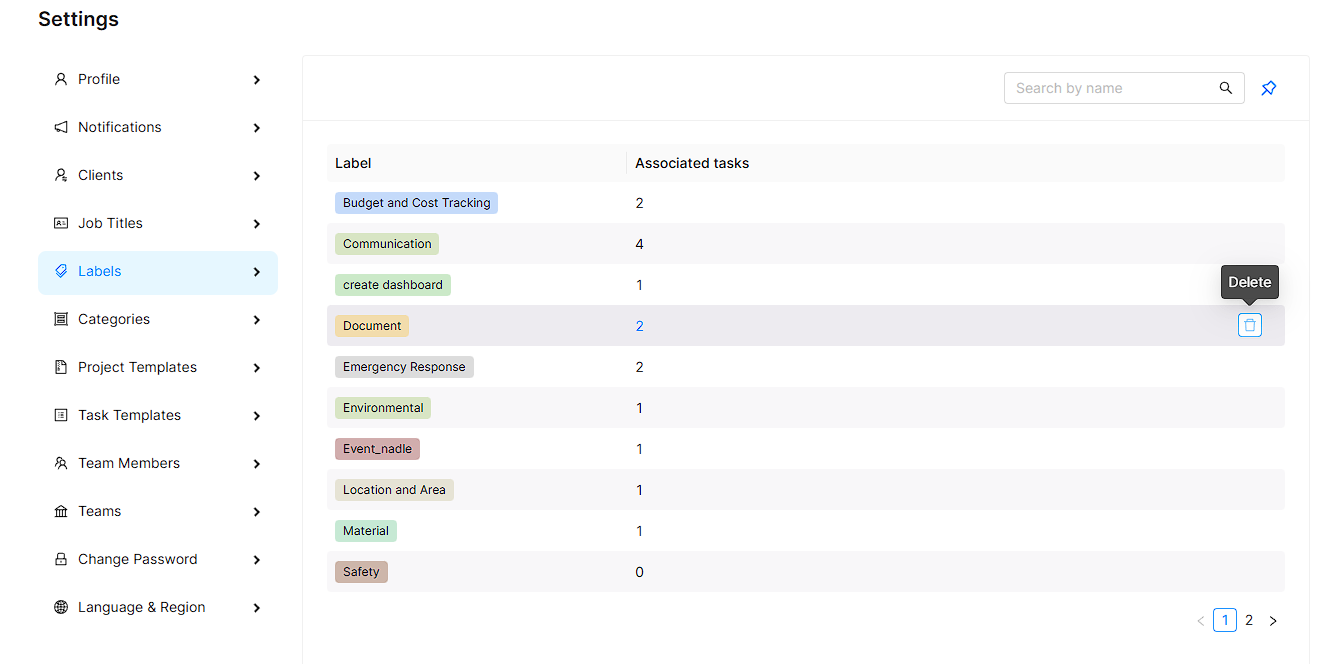
- Click Labels option.
- Now you have to Lable Edit and Delete profile.
- You can click any label and it will appear relevent delete icon.
- After ypu can click delete icon and click Yes button.
- Now you correctly delete your lable.
How to Edit lables
You can folow How to Delete labels path and Edit your lables using Edit icon in relevent lable.