![[object Object]](https://s3.us-west-2.amazonaws.com/worklenz.com/assets/worklenz-light-mode.png)
![[object Object]](https://s3.us-west-2.amazonaws.com/worklenz.com/assets/worklenz-dark-mode.png)
How to create a phase
You have to create a phase and use it within the project.
Let’s Create a Phase
In the Task list, you can see the “group by” dropdown box.

- First you should click Group by dropdown and select Phase.
- Then click setting icon near the dropdown list.
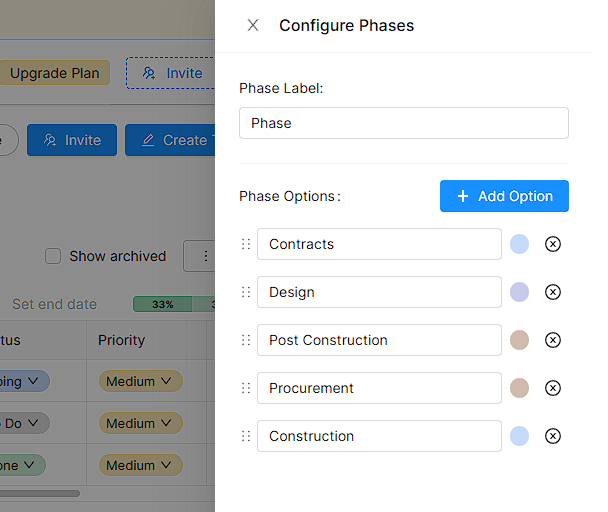
- It will open a new Create Phase Drawer on the left side.
- You can see the phase label input area and the Add Option button.
- If you want to change Phase Lable, you can do it using that input area.
- Or if you want to add a new phase, you can click the Add Option button.
- After Clicking the Add option button it will create new phase inputs below.
- You can give a name to the new phase and select a color for it using the given color palette.
- You successfully added a new phase.
- Also using the six dot sign you have to change the phase list arrangement.