![[object Object]](https://s3.us-west-2.amazonaws.com/worklenz.com/assets/worklenz-light-mode.png)
![[object Object]](https://s3.us-west-2.amazonaws.com/worklenz.com/assets/worklenz-dark-mode.png)
How to customize column visibility in task list
Worklenz gives to you customize your working area. you can change your task tables look using column show and hide option.
-
Click the show fields button to get the columns list.
-
Some column names are checked; some are not checked.
-
If you want to show more columns, you can check the relevant checkbox inside the column name.
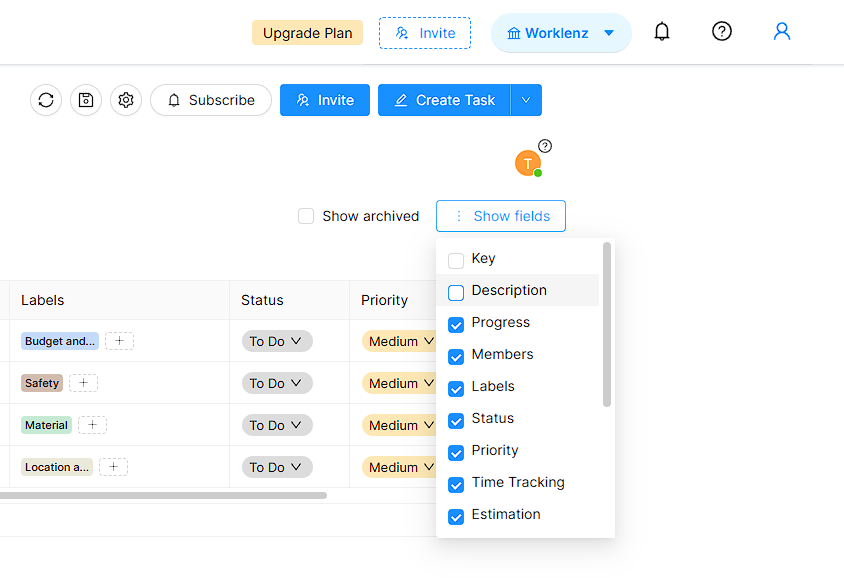
- If you want to hide any columns; you can uncheck relevent column check box.
Like this, you can change the table column’s visibility.