![[object Object]](https://s3.us-west-2.amazonaws.com/worklenz.com/assets/worklenz-light-mode.png)
![[object Object]](https://s3.us-west-2.amazonaws.com/worklenz.com/assets/worklenz-dark-mode.png)
Change task status
Change task status
You can change the status of a task at any time. Worklenz provides several ways to do this:
1. When creating a task
- Click the Create task button to open the task drawer.
- Use the status dropdown at the top of the drawer to select the desired status.
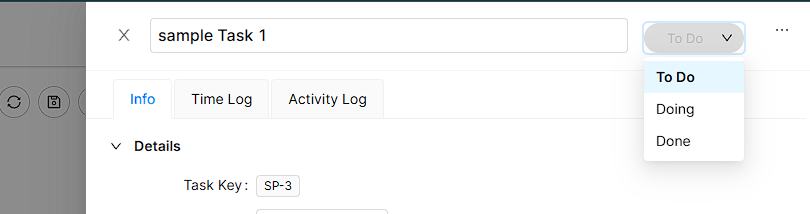
2. Using right-click
- Select a task in the Task list by clicking the checkbox next to it.
- Right-click on the task.
- Select the Move to option.
- Choose the status you want to move the task to.
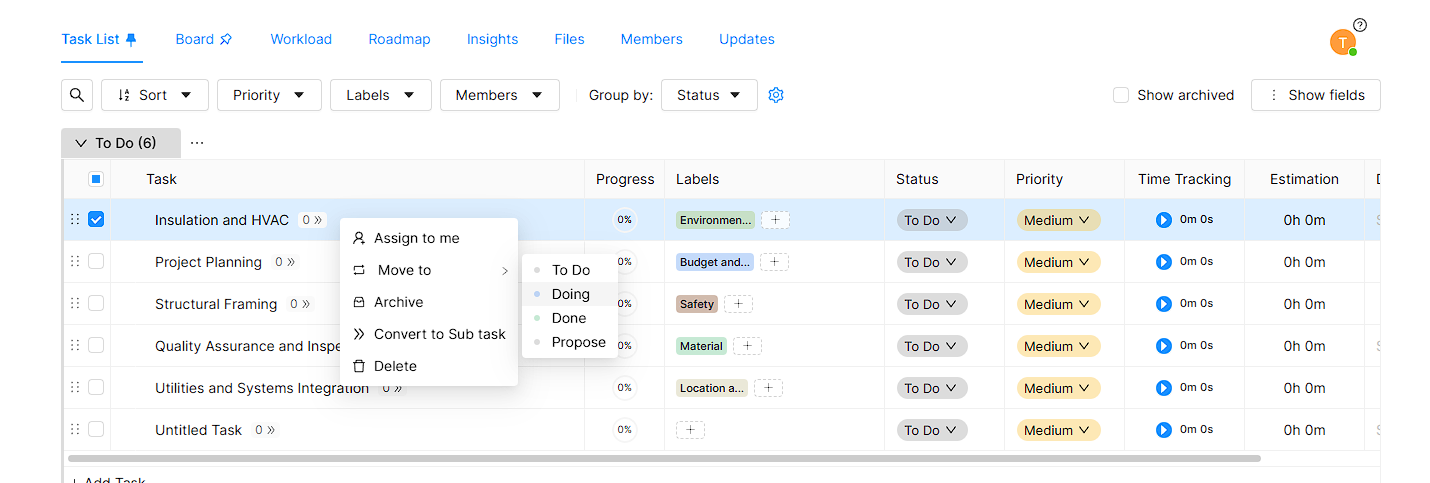
3. Using the options bar
- Select one or more tasks in the Task list by clicking the checkbox next to each task.
- The options bar will appear at the bottom center of the workspace.

- Click the update icon on the options bar.
- Select the Status option.
- Choose the desired status from the list.