![[object Object]](https://s3.us-west-2.amazonaws.com/worklenz.com/assets/worklenz-light-mode.png)
![[object Object]](https://s3.us-west-2.amazonaws.com/worklenz.com/assets/worklenz-dark-mode.png)
Add/invite new member to project
Invite a new member to your project
To invite new members to a specific project, navigate to the project view and click the blue Invite button next to the Create Task button.
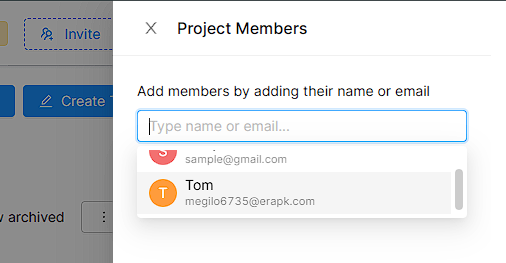
Invite with email
- Click the Invite with Email option.
- Add one or more email addresses of the members you want to invite.
- Set the role for each member.
- Click the Invite button.
- Invited members will receive an invitation link by email.
Invite with link
- Copy the project invite link and share it with members through any preferred method.
- Members can join the project using the shared link.
Note: When you invite a new member to a project, the invited member will be automatically added to the team that the project belongs to.