![[object Object]](https://s3.us-west-2.amazonaws.com/worklenz.com/assets/worklenz-light-mode.png)
![[object Object]](https://s3.us-west-2.amazonaws.com/worklenz.com/assets/worklenz-dark-mode.png)
How to attach files
To attach files to a task in Worklenz:
- Open the task drawer by clicking on a task.
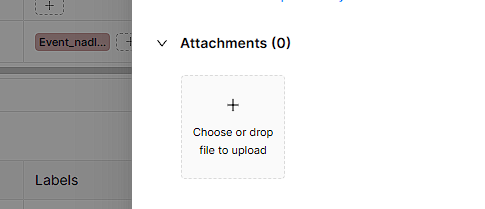
- Scroll down to the Attachments section.
- Click on the + icon and select the files you want to attach to the task.
- Upload the selected files.
You can also drag and drop files directly into the + icon area in the Attachments section.
All uploaded files can be viewed in the Files section of the project for quick access.